
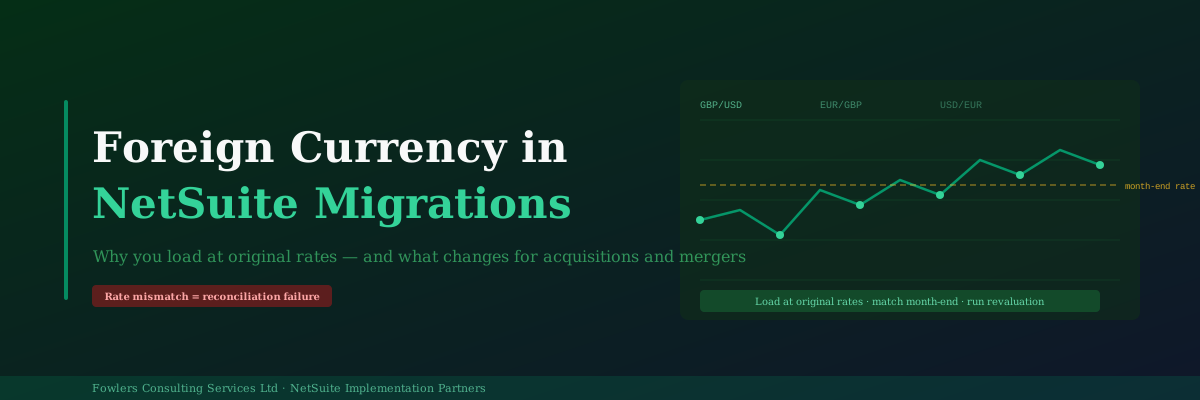
Foreign currency revaluation presents significant technical challenges during NetSuite migrations. The core issue involves ensuring that NetSuite arrives at identical closing balances as the legacy system on the cutover date. The approach varies depending on migration type.
Standard Migrations: Load at Original Rates
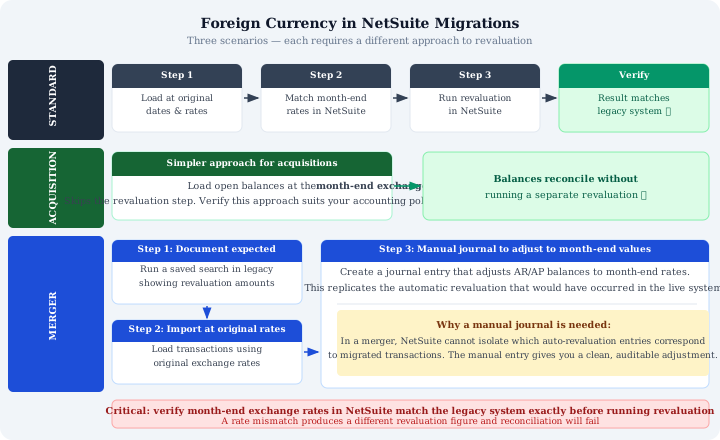
Standard migrations follow a three-step process:
-
Load transactions at their original dates and exchange rates. This preserves the transaction’s original functional currency value rather than using current or month-end rates.
-
Ensure month-end exchange rates in NetSuite match the legacy system exactly. Small discrepancies, even rates entered to different decimal places, will produce different revaluation figures. Verification must occur before running revaluation.
-
Run the NetSuite revaluation. With correct original rates and month-end rates in place, the revaluation should match the legacy system’s unrealised FX adjustment.
The logic is straightforward: loading at current rates instead of original rates makes transactions appear to have no FX movement, leaving nothing to revalue. While balances appear correct initially, they behave incorrectly as exchange rates continue moving.
Asset Acquisitions: A Simpler Approach
Asset acquisitions involve taking on a balance sheet at a specific point in time without prior transaction history. The recommended approach is to “load open balances directly at the month-end exchange rate” rather than reconstructing original rates. Finance teams should confirm this aligns with accounting policies before proceeding.
Mergers: Three Steps and a Manual Journal
Mergers present the most complexity because automatic revaluation entries cannot be reliably attributed to specific migrated transactions. The solution involves:
-
Run a saved search in the legacy system documenting expected revaluation amounts by currency and entity to establish target figures beforehand.
-
Import transactions at original exchange rates to preserve original values.
-
Create a manual journal entry to adjust AR and AP balances to month-end values. This discrete, auditable adjustment replicates the automatic revaluation that would occur in a live system.
The Rate Matching Problem
The most common cause of revaluation reconciliation failures is mismatches between month-end rates in NetSuite and legacy systems. The required discipline is straightforward: extract legacy system rates, load them into NetSuite verbatim, and confirm the match before running revaluation. Do not rely on third-party rate feeds to produce identical figures independently.
Post-go-live, the same discipline applies monthly to maintain clean FX revaluation processes during month-end close procedures.